Cleaning System Solutions

Let your cleaning business quote and book itself.

Quote Your Way

If you're quoting by phone, memory, or a mix of texts and spreadsheets —
this is what consistent pricing looks like.
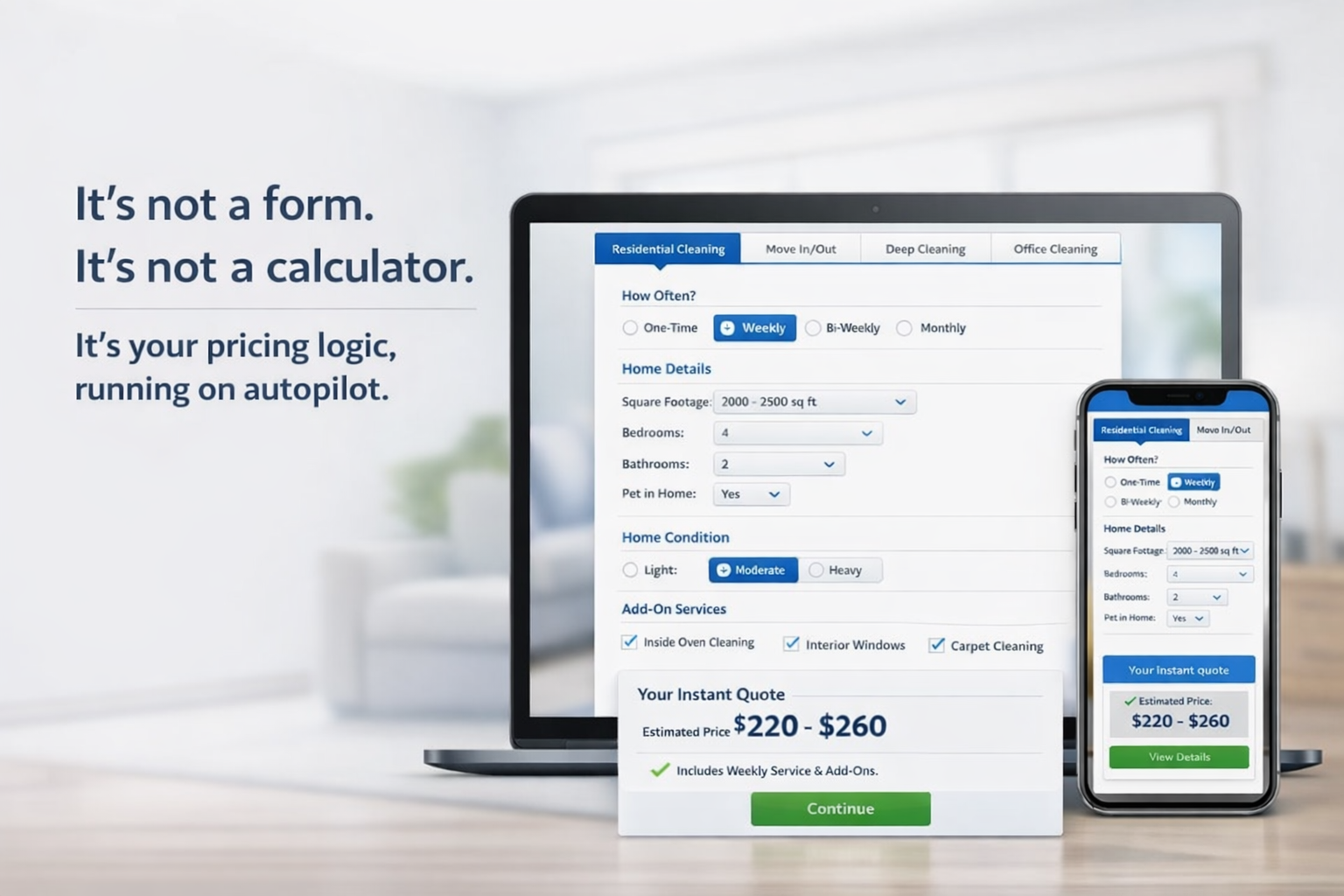
The quoting widget shown on laptop and phone - not a form, not a calculator

What owners stop doing manually on day one

Fewer calls asking for quotes
Consistent pricing every time
Complex jobs flagged automatically
Rules you set — visible and editable
Deposits collected at booking
Live with your current pricing — no rebuild needed
See how it handles jobs you actually deal with

Five real jobs. See what happens — auto-quoted, flagged for review, or sent to walkthrough.

Pick a scenario and watch the logic work through it — the same way it would for a real lead coming through your website. You'll see exactly which jobs run automatically and which ones get flagged for your review.

Customer Inputs
Your Rules Engine
Outputs
🏠Property & LocationType, address, zip
📐Size & Layoutsqft, beds, baths, floors
⚙️Service Configtype, frequency, date
⚠️Condition & Risksoil level, flags, history
Add-Ons & Accessextras, pets, security
Size Logicuses sq ft or bed/bath if sq ft missingactive
Job Type Readerreads what kind of clean this isactive
Problem Flag Checkchecks for jobs that need reviewactive
Size Limit Checkis this job too large to auto-quote?3,500 / 5,000
Always-Review Jobspost-construction, very heavy soilowner config
Quote Type Decisionexact price, range, or hourly estimaterouting
Info Completeness Checkdid the customer fill enough in?scope gate
Base Price Calcsize + rooms × your rate$80 base
Your Adjustmentsjob type, condition, frequency×1.0 - ×2.0
Extras Addedeach add-on priced separately$20 ea.
Auto or Manual?inside your configured limits?decision
Price Range Modeshows low and high estimatefallback
Manual Review Triggerflags job for owner follow-upguardrail
💰Exact Quoteflat price delivered
📊Price Rangelow-high estimate
📋Pricing Modeexact price, range, or hourly estimate
🔁Manual Reviewescalated for walkthrough
Quote logic active
Your adjustments applying
Review rules live
Jobs processed: 0
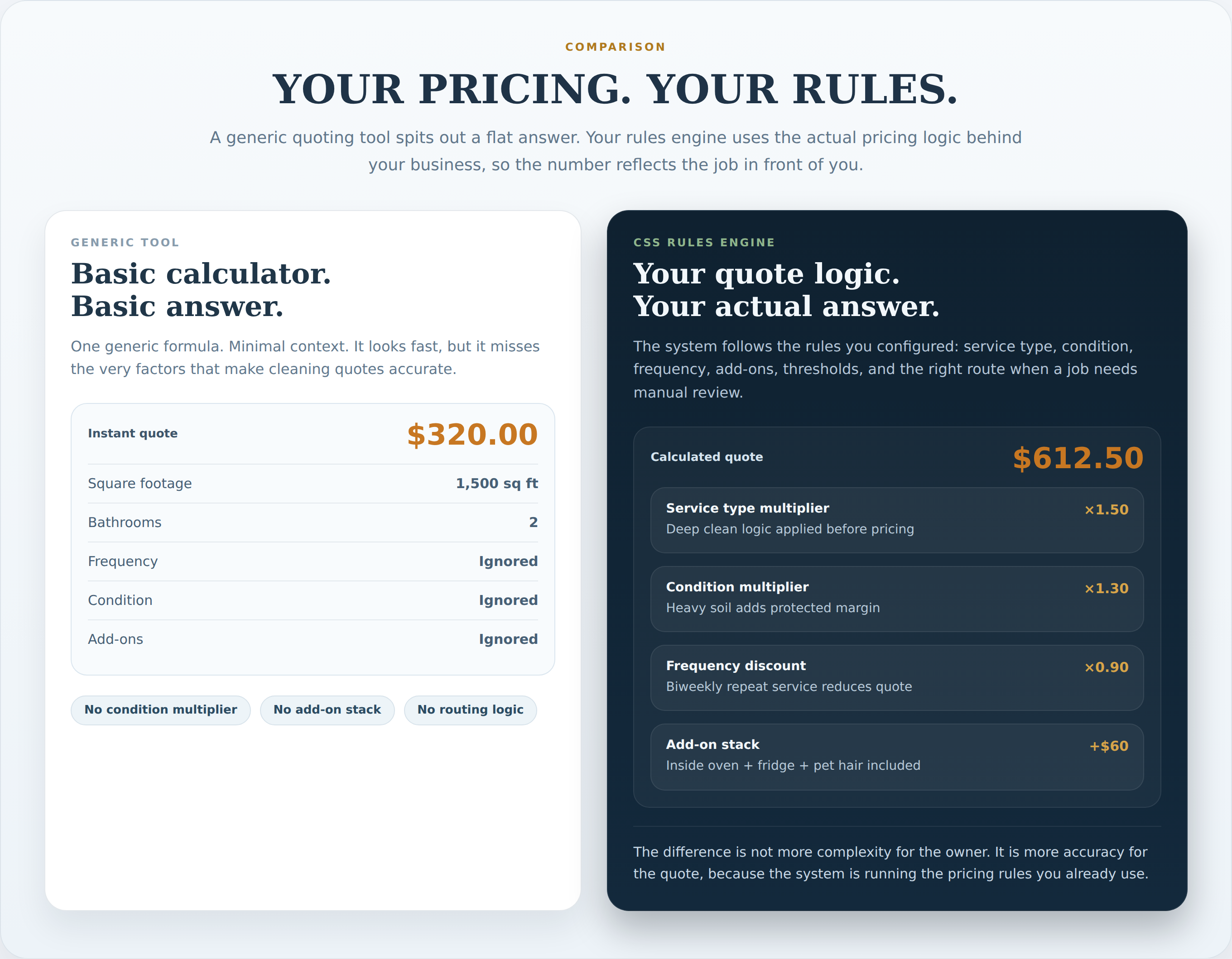
Comparison: generic quoting tool with basic $320 output vs your rules engine producing accurate $612.50 quote using condition multiplier, service type, frequency discount, add-on stack

You're Still in Charge

Routine jobs quote themselves. You step in only when you want to.
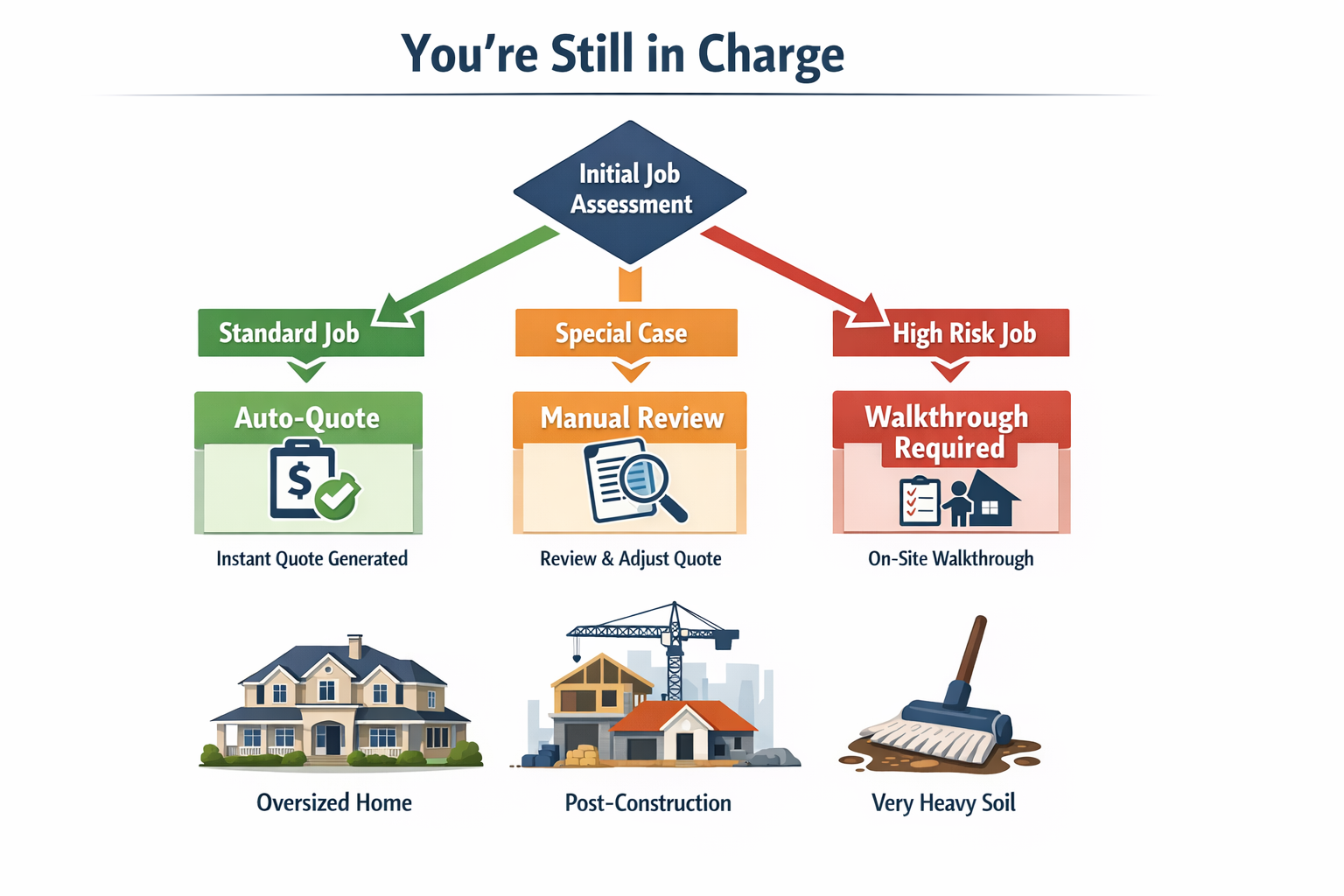
Job routing diagram - Standard Job goes to Auto-Quote, Special Case to Manual Review, High Risk to Walkthrough Required
"I'll lose control over my pricing."
Nothing quotes without your logic behind it. You set every rule — which services you offer, what conditions cost more, when a job gets flagged instead of auto-quoted. You can change any of it in under a minute.
"Some jobs should never be auto-quoted."
Correct — and you control exactly where that line is. Set a square footage ceiling. Mark post-construction or very heavy soil as always-review. The system escalates those jobs instead of guessing at a price you'd have to fix later.
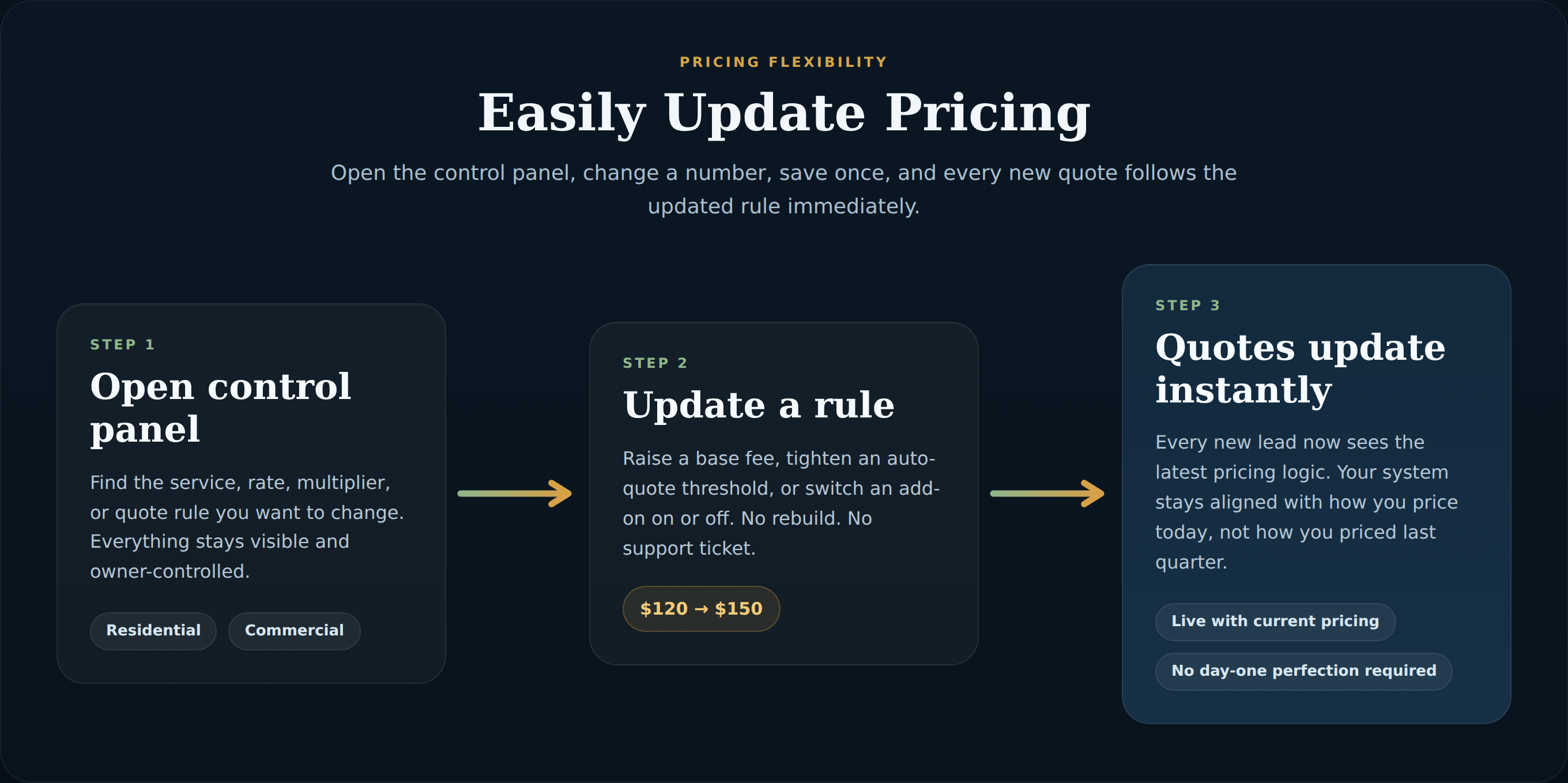
Three-step diagram: Open control panel, update a rule from $120 to $150, every new quote updates instantly
Turn services on or off anytime Add-ons keep their settings when toggled off Goes live with your current pricing No perfect setup required on day one

The Form Works. Edge Cases Get Flagged.

Customers don't break it by skipping a field. Jobs outside your limits don't get a wrong price — they get flagged.
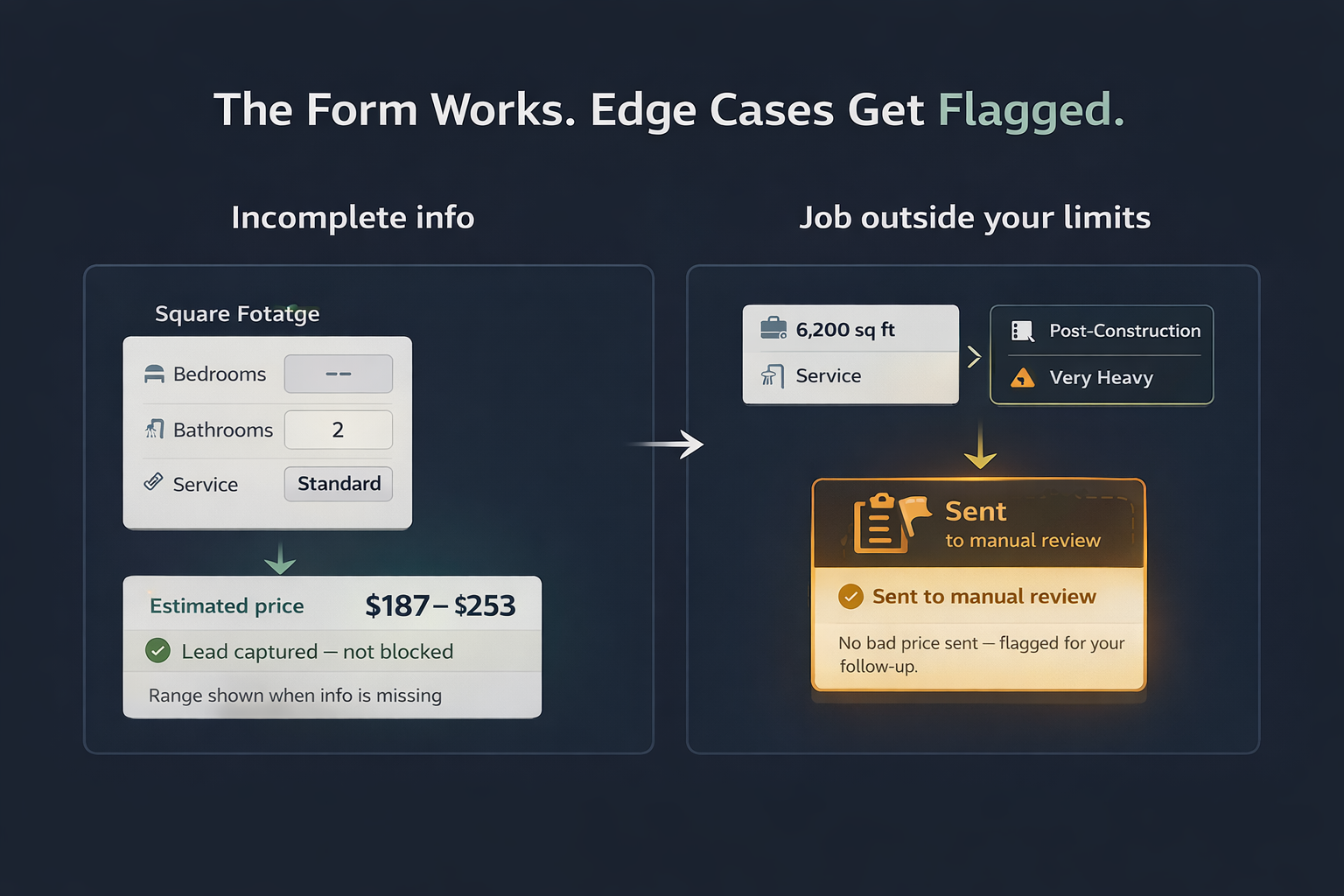
Two scenarios: incomplete form shows price range and captures lead; job outside size limit gets flagged for manual review instead of producing a wrong quote
"My customers won't fill this out."
Customers don't have to fill everything out perfectly. The form adapts to the job type — residential gets residential questions, commercial gets commercial ones. If something's missing, the system shows a price range and keeps the lead moving instead of sending them away.
"What happens when the quote is wrong?"
A bad quote doesn't go out. Jobs inside your limits price automatically. Anything over your configured ceiling — large homes, post-construction, very heavy conditions — gets escalated to manual review or a walkthrough request instead.

Setup Doesn't Mean Building Software

If you've been quoting from memory, a notepad, or a mix of texts and phone calls — this is just writing that down once so it runs automatically.
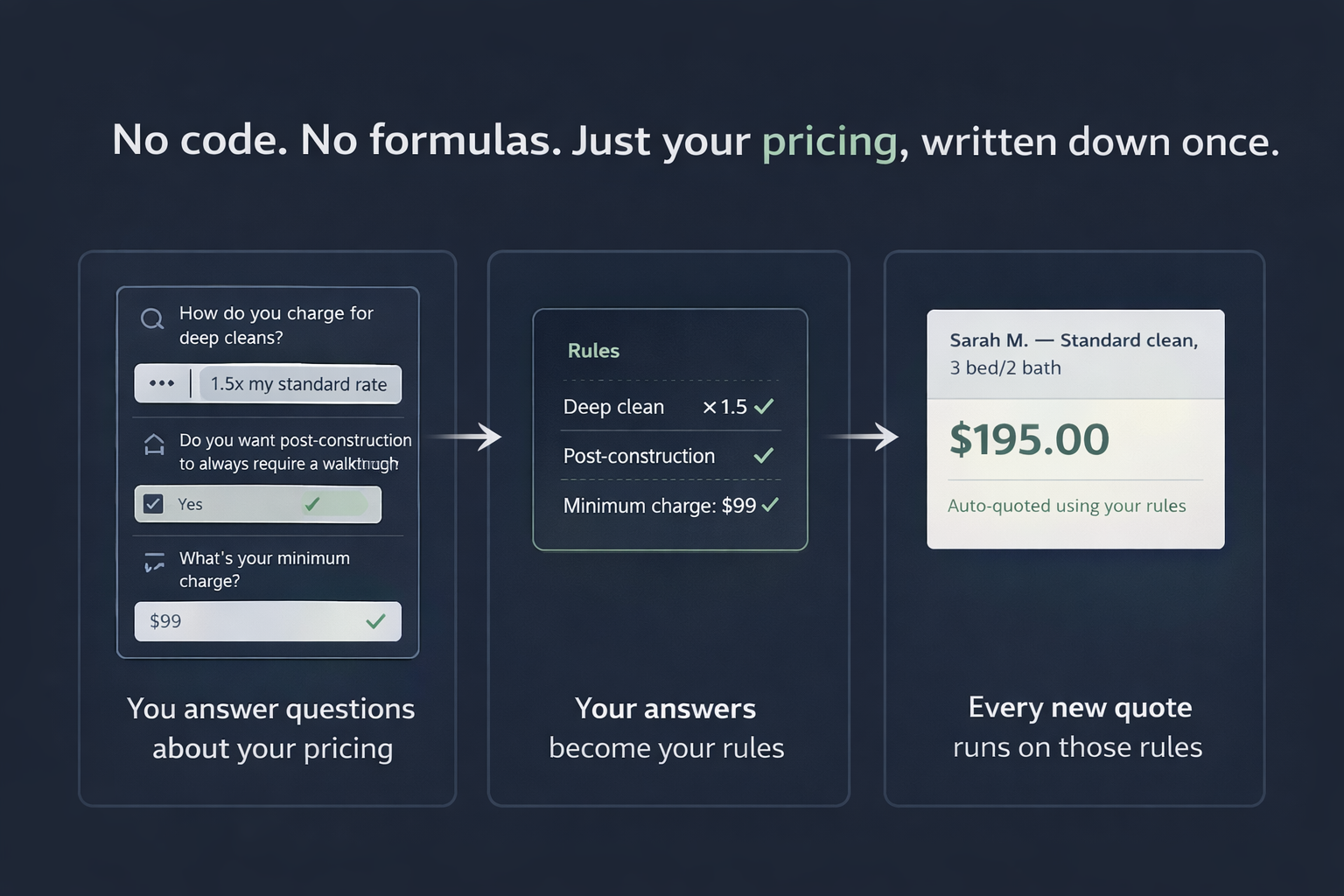
Three-step setup flow: you answer questions about your pricing, your answers become your rules, every new quote runs on those rules
"This sounds complicated to set up."
You answer questions about how you currently price jobs — services you offer, what you charge more for, when you prefer to do a walkthrough instead of quoting blind. The system is built from those answers. No formulas, no code, no rebuilding how you work.
Owner Control Panel

Your pricing rules. All visible. All editable. Nothing hidden.

This is not a black box. Everything the system uses to price a job — which services you offer, what you charge more for based on condition, which jobs you want to review manually before a price goes out — is written in plain language and editable anytime. Change something. It applies to the next quote.

Open the live control panel →
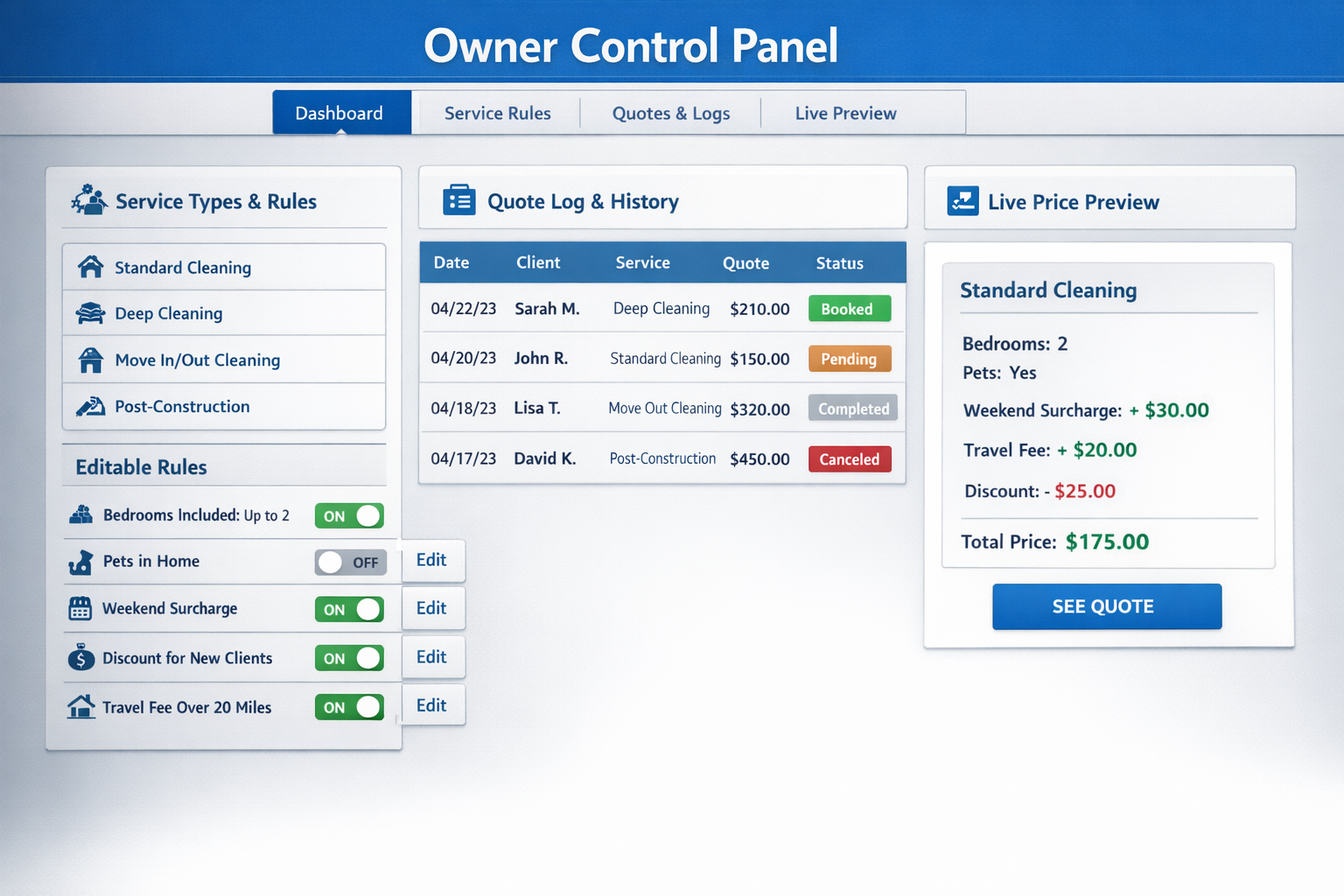
Owner Control Panel showing service rules, quote log, and live price preview

Ready to stop quoting by phone and start quoting consistently?

Answer 5–7 quick questions about how you price jobs and handle new leads. Takes about 2–3 minutes.

Start with the short intake, then review the demo again if you want to compare the flow.

Get Started